|
| override bool | Equip (string playerID) |
| | When we grab the weapon, we equip it More...
|
| |
| override bool | UnEquip (string playerID) |
| | When dropping or unequipping the weapon, we remove it More...
|
| |
| virtual Inventory | TargetInventory (string playerID) |
| | Gets the target inventory. More...
|
| |
| virtual Inventory | TargetEquipmentInventory (string playerID) |
| | Gets the target equipment inventory. More...
|
| |
| virtual InventoryItem | Copy () |
| | Copies an item into a new one More...
|
| |
| virtual GameObject | SpawnPrefab (string playerID) |
| | Spawns the associated prefab More...
|
| |
| virtual bool | Pick (string playerID) |
| | What happens when the object is picked - override this to add your own behaviors More...
|
| |
| virtual bool | Use (string playerID) |
| | What happens when the object is used - override this to add your own behaviors More...
|
| |
| virtual void | Swap (string playerID) |
| | What happens when the object gets swapped for another object More...
|
| |
| virtual bool | Drop (string playerID) |
| | What happens when the object is dropped - override this to add your own behaviors More...
|
| |
|
| Weapon | EquippableWeapon |
| | the weapon to equip More...
|
| |
| AutoEquipModes | AutoEquipMode = AutoEquipModes.NoAutoEquip |
| | how to equip this weapon when picked : not equip it, automatically equip it, or only equip it if no weapon is currently equipped More...
|
| |
| int | HandleWeaponID = 1 |
| | the ID of the CharacterHandleWeapon you want this weapon to be equipped to More...
|
| |
| string | ItemID |
| | the (unique) ID of the item More...
|
| |
| string | TargetInventoryName = "MainInventory" |
| | the inventory name into which this item will be stored More...
|
| |
| bool | ForceSlotIndex = false |
| | if this is true, the item won't be added anywhere's there's room in the inventory, but instead at the specified TargetIndex slot More...
|
| |
| int | TargetIndex = 0 |
| | if ForceSlotIndex is true, this is the index at which the item will be added in the target inventory More...
|
| |
| bool | Usable = false |
| | whether or not this item can be "used" (via the Use method) - important, this is only the INITIAL state of this object, IsUsable is to be used anytime after that More...
|
| |
| bool | Consumable = true |
| | if this is true, calling Use on that object will consume one unit of it More...
|
| |
| int | ConsumeQuantity = 1 |
| | if this item is consumable, determines how many will be consumed per use (usually one) More...
|
| |
| bool | Equippable = false |
| | whether or not this item can be equipped - important, this is only the INITIAL state of this object, IsEquippable is to be used anytime after that More...
|
| |
| bool | EquippableIfInventoryIsFull = true |
| | whether or not this item can be equipped if its target inventory is full More...
|
| |
| bool | MoveWhenEquipped = true |
| | if this is true, this item will be removed from its original inventory when equipped, and moved to its EquipmentInventory More...
|
| |
| bool | Droppable = true |
| | if this is true, this item can be dropped More...
|
| |
| bool | CanMoveObject =true |
| | if this is true, objects can be moved More...
|
| |
| bool | CanSwapObject =true |
| | if this is true, objects can be swapped with another object More...
|
| |
| InventoryItemDisplayProperties | DisplayProperties |
| | a set of properties defining whether or not to show inventory action buttons when that item is selected More...
|
| |
| int | Quantity = 1 |
| | the base quantity of this item More...
|
| |
| string | ItemName |
| | the name of the item - will be displayed in the details panel More...
|
| |
| string | ShortDescription |
| | the item's short description to display in the details panel More...
|
| |
| string | Description |
| | the item's long description to display in the details panel More...
|
| |
| Sprite | Icon |
| | the icon that will be shown on the inventory's slot More...
|
| |
| GameObject | Prefab |
| | the prefab to instantiate when the item is dropped More...
|
| |
| bool | ForcePrefabDropQuantity = false |
| | if this is true, the quantity of the object will be forced to PrefabDropQuantity when dropped More...
|
| |
| int | PrefabDropQuantity = 1 |
| | the quantity to force on the spawned item if ForcePrefabDropQuantity is true More...
|
| |
| MMSpawnAroundProperties | DropProperties |
| | the minimal distance at which the object should be spawned when dropped More...
|
| |
| int | MaximumStack = 1 |
| | If this object can be stacked (multiple instances in a single inventory slot), you can specify here the maximum size of that stack. More...
|
| |
| int | MaximumQuantity = 999999999 |
| | the maximum quantity allowed of this item in the target inventory More...
|
| |
| ItemClasses | ItemClass |
| | the class of the item More...
|
| |
| string | TargetEquipmentInventoryName |
| | If this item is equippable, you can set here its target inventory name (for example ArmorInventory). Of course you'll need an inventory with a matching name in your scene. More...
|
| |
| AudioClip | EquippedSound |
| | the sound the item should play when equipped (optional) More...
|
| |
| AudioClip | UsedSound |
| | If this item can be used, you can set here a sound to play when it gets used, if you don't a default sound will be played. More...
|
| |
| AudioClip | MovedSound |
| | the sound the item should play when moved (optional) More...
|
| |
| AudioClip | DroppedSound |
| | the sound the item should play when dropped (optional) More...
|
| |
| bool | UseDefaultSoundsIfNull = true |
| | if this is set to false, default sounds won't be used and no sound will be played More...
|
| |
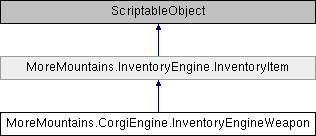
Weapon item in the Corgi Engine

 Public Member Functions inherited from MoreMountains.InventoryEngine.InventoryItem
 1.8.18