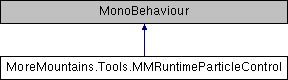
Add this class to a particle system at runtime, and it'll expose controls to play/pause/stop it from the inspector Because Unity's built-in controls somehow lack pause when in play mode
More...
|
| virtual void | Awake () |
| | On Awake we grab our components More...
|
| |
| virtual void | Play () |
| | Plays the particle system More...
|
| |
| virtual void | Pause () |
| | Pauses the particle system More...
|
| |
| virtual void | Stop () |
| | Stops the particle system More...
|
| |
| virtual void | Simulate () |
| | Moves the particle system to the specified timestamp More...
|
| |
| void | OnValidate () |
| | On validate, moves the particle system to the chosen timestamp along the track More...
|
| |
Add this class to a particle system at runtime, and it'll expose controls to play/pause/stop it from the inspector Because Unity's built-in controls somehow lack pause when in play mode
◆ TrackerModes
The possible modes for the tracker : Basic will work with the main module's duration ForcedBounds lets you specify within which bounds the slider should move
| Enumerator |
|---|
| Basic | |
| ForcedBounds | |
◆ Awake()
| virtual void MoreMountains.Tools.MMRuntimeParticleControl.Awake |
( |
| ) |
|
|
protectedvirtual |
On Awake we grab our components
◆ OnValidate()
| void MoreMountains.Tools.MMRuntimeParticleControl.OnValidate |
( |
| ) |
|
|
protected |
On validate, moves the particle system to the chosen timestamp along the track
◆ Pause()
| virtual void MoreMountains.Tools.MMRuntimeParticleControl.Pause |
( |
| ) |
|
|
protectedvirtual |
Pauses the particle system
◆ Play()
| virtual void MoreMountains.Tools.MMRuntimeParticleControl.Play |
( |
| ) |
|
|
protectedvirtual |
Plays the particle system
◆ Simulate()
| virtual void MoreMountains.Tools.MMRuntimeParticleControl.Simulate |
( |
| ) |
|
|
protectedvirtual |
Moves the particle system to the specified timestamp
◆ Stop()
| virtual void MoreMountains.Tools.MMRuntimeParticleControl.Stop |
( |
| ) |
|
|
protectedvirtual |
Stops the particle system
◆ _mainModule
| ParticleSystem.MainModule MoreMountains.Tools.MMRuntimeParticleControl._mainModule |
|
protected |
◆ _particleSystem
| ParticleSystem MoreMountains.Tools.MMRuntimeParticleControl._particleSystem |
|
protected |
◆ FastForwardToTimeButton
| bool MoreMountains.Tools.MMRuntimeParticleControl.FastForwardToTimeButton |
a test button to move the associated particle system to the specified timestamp
◆ MaxBound
| float MoreMountains.Tools.MMRuntimeParticleControl.MaxBound |
when in ForcedBounds mode, the value to which the slider's highest bound should be remapped
◆ MinBound
| float MoreMountains.Tools.MMRuntimeParticleControl.MinBound |
when in ForcedBounds mode, the value to which the slider's lowest bound should be remapped
◆ PauseButton
| bool MoreMountains.Tools.MMRuntimeParticleControl.PauseButton |
a test button to pause the associated particle system
◆ PlayButton
| bool MoreMountains.Tools.MMRuntimeParticleControl.PlayButton |
a test button to play the associated particle system
◆ StopButton
| bool MoreMountains.Tools.MMRuntimeParticleControl.StopButton |
a test button to stop the associated particle system
◆ TargetTimestamp
| float MoreMountains.Tools.MMRuntimeParticleControl.TargetTimestamp = 1f |
the timestamp at which to go when pressing the Simulate button
◆ Timestamp
| float MoreMountains.Tools.MMRuntimeParticleControl.Timestamp |
◆ Tracker
| float MoreMountains.Tools.MMRuntimeParticleControl.Tracker |
a slider used to move the particle system through time at runtime
◆ TrackerMode
the selected tracker mode
The documentation for this class was generated from the following file:

 1.8.18